

I am not knowledgeable enough to know what this effect is. In full screen watching star wars ep1 2 or 3 whenever a shuttle is nearing a planet the planet moves across the screen incompletely.. in sections.... is this an interlacing issue or something else? and whatever it is.. how do i fix it... im in windows xp mce, full screen on mce front... nvidia 6800gt... on a panasonic ae700... i dont know if its the display or not...
-
-
ok now i think i see why people use powerstrip... ive been tinkering with the hdtv modes included with my video card drivers and the problem is now bareable... -
Most likely it's your processor or software you are using that is unable to keep up with the framerate at full screen processing. I have the Nvidia 6800GT and the movie works perfectly fine for me in full screen.
What speed is your processor (I'm going to guess this is okay considering the Video card you have)...and what program are you using to watch the DVD at full screen?
What software are you using to play the DVDs with?Digital Audio makes me Happy.
-DanComment
-
In sections? This sounds like the scene in Ep2 where Obi-wan is in his little a-wing ship thing and going towards the red jupiter-like planet. That scene is a fantastic one for checking tearing, since the planet takes up so much of the screen and is a relatively smooth surface. I suspect what you're describing is tearing. It happens when you don't have v-sync enabled, and the monitor refreshes the screen while the video card/software is still drawing to the buffer. You get half of one frame and half of another.
Enable v-sync and the problem should disappear. If the image motion itself is jerky/juddery, then it's a processing power problem.
Here's a sample of the aforementioned scene, that I faked to demonstrate tearing (call me an overachiever):
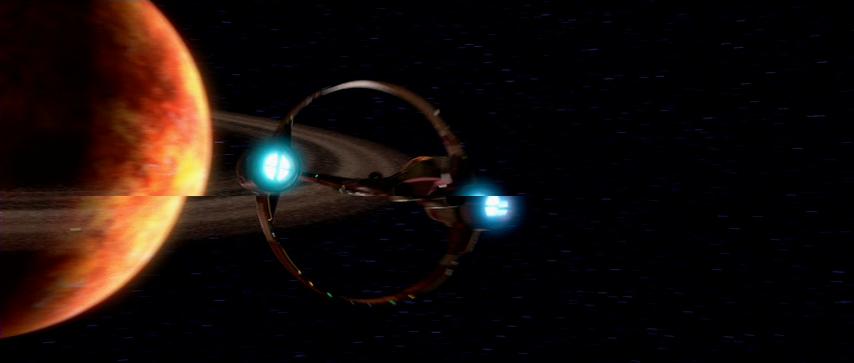 - Patrick
"But it's more fun when it doesn't make sense!"Comment
-
Wildfire you're an overachiever. :PDigital Audio makes me Happy.
-DanComment


-
 Nvidia has the new Detonator 23.11 reference drivers out for Windows 95/98/ME/XP.
These include a host of features with a new version of the OpenGL ICD as well as full support for the nForce's integrated GPU.
-Highly optimized DirectX® and OpenGL® pipelines
-New... -
There is a new Nvidia tweaker I just downloaded. Swift, easy and simple are the keywords for this tool. it is a must have for any Nvidia card owner :T
It lets you en/disable overclocking options or vsync option in your detonator drivers without the burden of importing registry entries... -
 OK, I recently moved my computer into the same room as my HT system. I have no interest in getting into HTPC proper, but I would really like to be able to use my computer as a PVR, so I can stop using my SVHS deck.
My thought is to get Windows MCE 2005 (I can pick up an OEM copy with... -
 Anyone have more info on this new screen from Sony?
Here's all I could find on it so far.
Sony introduces black projector screen for well-lit up areas
Posted by Sean Byrne on 24 June 2004 - 00:49
When Thomas Edison first invented the projector over... -
 Hi Guys and Gals,
After buying my NEC-9PG+ projector, I knew I needed an upgrade to my screen system. My screen started out as a wall hanging Oak frame with bright white formica over an HDF sheet; this was later modified to a roll around format on a stand, for flexibilty. This was necessary...
Comment